
The most useful process document most teams will ever create is sitting in a screen recording folder right now, labeled something like onboarding-v2-final.mp4, watched by exactly one person. You walked through the whole flow, narrated what you were doing, and captured it clearly. What you didn't do was turn it into something your team could actually find and follow six weeks from now.
That gap, from recording to real doc, is where most teams stall. Writing from scratch takes hours you don't have. Stepika closes it, starting from the recording you already made.
| Stage | What Stepika does |
|---|---|
| Input | Accepts a pasted video URL or uploaded file |
| Processing | Transcribes audio, segments into steps, captures screenshots |
| Draft | Structured SOP: ordered steps, screenshots, source timestamps |
| Editing | Refine, reorder, delete, or add steps in the editor |
| Publishing | SOP lives on a hosted page with a real public URL |
| Findability | Semantic HTML, HowTo schema, sitemap, llms.txt, /raw.md |
Give Stepika the Recording
What it accepts and what happens next
You start by giving Stepika a recording. Paste a video URL from a supported platform, or upload a file directly. That's the only input required. You don't need to prep the recording, trim it first, or do anything to it beforehand. Whatever you captured is what Stepika works from.
This matters because most documentation friction lives right here: between "I should make a doc" and "I need to sit down and write it." Stepika removes that transition. The recording is the input. The structured SOP is what comes out.

What Gets Generated
Steps, screenshots, and timestamps
Once Stepika has the recording, it does three things: transcribes what's said, breaks the content into ordered steps representing distinct actions or stages, and captures a screenshot for each one. Every screenshot is pulled from the video frame where that step occurs. Every step carries a timestamp that deep-links back to the source video, so anyone following the guide can jump directly to the corresponding moment if they want to watch rather than read.
The result is a structured SOP: numbered steps, each with a visual and a description, connected back to the original recording. It reads like a clean walkthrough, not a raw transcript.
What the draft actually looks like
The generated draft captures the full sequence of the recording, from start to finish. The language is drawn from the narration, organized into actionable steps rather than preserved as continuous speech. For most recordings, the first draft is close to complete and reads as a usable guide without significant editing.
💡 Heads up: The generated draft typically covers everything in the recording, including sections you may want to remove. The editor is where you tighten the scope — cutting steps outside the core flow, or shaping a longer recording into a cleaner, focused guide.
Editing the Draft
Make it yours
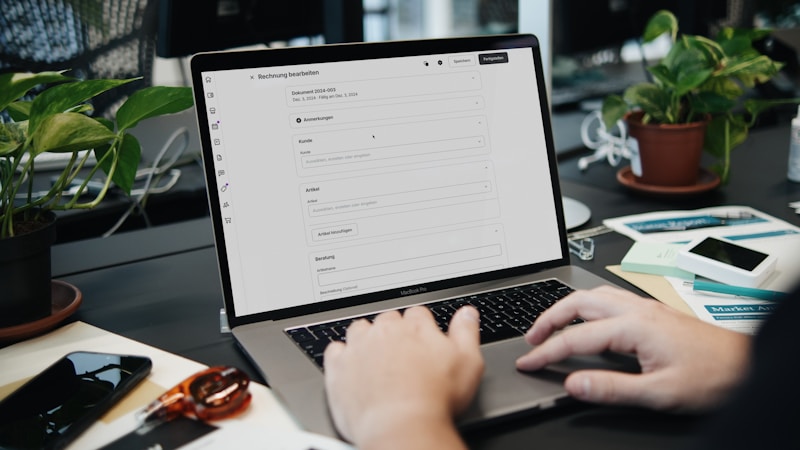
The editor is available immediately after generation and stays available after publishing. You can edit the text of any step, cleaning up the transcription, tightening the language, or adding context that the narration didn't include. Steps can be reordered by dragging them into a different sequence, or deleted if they fall outside the scope you want the guide to cover. If a screenshot doesn't clearly capture what a step describes, you can replace it with a different frame from the video or a fresh capture.
What else you can adjust
Beyond individual steps, the editor lets you set the title and slug, which is the URL your guide will live at. Both can be changed at any time before or after publishing. Most teams spend between five and fifteen minutes on a generated draft before publishing, which is a fraction of what writing an equivalent doc from scratch would take, with a structured, nearly complete starting point rather than a blank page.
📋 Useful habit: Run the guide yourself from top to bottom before publishing. The step that feels obvious while you're recording is usually the one that's under-described in the draft. Two minutes of reading catches that faster than the support question you'd otherwise field next week.

*Photo by Vitaly Gariev on *Unsplash
Hosting and Publishing
A real page, not a file attachment
When you publish a Stepika SOP, it becomes a hosted web page with a public URL. Every SOP lives by default at <your-workspace>.stepika.com/<slug>, a clean, navigable address accessible to your team, your customers, or a search engine. If you'd rather host your docs at your own address, custom domains are supported: SOP pages can live at docs.yourcompany.com or any domain you control.
What the hosted page looks like
The page presents the SOP as a structured guide: the title at the top, each numbered step with its screenshot and description, and each step linked back to the source video timestamp. The page reflects your workspace branding. For teams with multiple related guides, Collections let you group several SOPs into a single published page with an ordered index, which is useful for multi-part onboarding flows, product feature sets, or any cluster of guides that logically belong together.
*Photo by Austin Distel on *Unsplash
Getting Found
What findability actually requires
Hosting a page and making it findable are not the same thing. A doc published on a platform without a sitemap, without structured data, and inaccessible to search engines or AI tools is nearly invisible the moment it goes live. Stepika's hosted pages are built from the start for discoverability: clean, public URLs, semantic HTML, and a sitemap that updates whenever a new SOP is added.
What that looks like in practice
| Signal | What it does |
|---|---|
| Semantic HTML | Parseable markup for search engines and AI tools |
| HowTo structured data | Tells crawlers the page is a step-by-step guide |
| Sitemap + robots.txt | Ensures every SOP in your workspace gets indexed |
| llms.txt | Tells AI tools what documentation exists and how to navigate it |
| /raw.md per SOP | A clean Markdown version of each guide for programmatic access |
For teams whose customers increasingly reach for AI assistants before they reach for a search bar, the combination of HowTo schema and llms.txt gives your SOPs a real chance of appearing in generated answers. A help doc your customers never ask about again is a better outcome than one they never find — and the difference is usually structural, not about the quality of what's written.
Frequently Asked Questions
What kinds of recordings does Stepika accept?
Stepika accepts pasted video URLs from supported platforms and directly uploaded video files. The recording doesn't need to be trimmed or prepared before submitting. Stepika works from whatever you've already captured.
Does Stepika add screenshots automatically, or do I need to add them?
Screenshots are generated automatically. Stepika captures a relevant frame from the video at each step, so the first draft already includes a visual for every step. In the editor, you can replace any auto-generated screenshot if the original frame doesn't clearly show what the step describes.
Can I edit a SOP after it's published?
Yes. The editor stays available after publishing, and any changes are reflected on the hosted page. You can update step text, reorder or delete steps, replace screenshots, or change the title and slug at any point.
Where do Stepika SOPs live once they're published?
By default, SOPs are published at your-workspace.stepika.com. Custom domains are supported, so your guides can live at docs.yourcompany.com or any domain you control. Hosted pages are public by default, accessible to your team, customers, and search engines.
What is a Collection and when would I use one?
A Collection is a published page that groups related SOPs into a structured, ordered index. It's useful when multiple guides logically belong to the same workflow or topic, such as a customer onboarding flow, a product feature set, or a set of internal processes for a specific team role. Readers see the index rather than navigating to each guide separately.
Is there a free trial before committing?
There's no self-serve free trial, but the risk is covered two ways: a public demo SOP on the site shows exactly what the output looks like, and a 7-day refund policy gives you enough time to run your own recordings through the product and evaluate what it produces before the window closes.
How do Stepika pages get picked up by AI tools?
Each hosted SOP includes HowTo structured data, which flags it as a step-by-step guide to search engines. There's also an llms.txt at the workspace level, which tells AI tools what documentation exists and how to navigate it, and a /raw.md endpoint for each SOP, which is a clean Markdown version that AI tools can parse directly. Together, these give your SOPs a real chance of surfacing in AI-generated answers rather than going unread.
If there's a walkthrough recording in your drive that should already be a team doc, Stepika is the fastest path from that recording to a hosted, findable guide. Paste the URL, generate the draft, publish it.
*Cover photo by Jakub Żerdzicki on *Unsplash